 Paysum
Resellers and suppliers
Let other stores sell your stock as their own, or source stock from another store.
Reselling connects two stores:
- The supplier owns the products and the license keys.
- The reseller sells those products in their own store. When they make a sale, the key comes from the supplier's stock, and the cost is paid from the reseller's balance with the supplier.
Running a reseller program needs Premium on the supplier's account. Joining one as a reseller does not.
Run a reseller program (supplier)
Open Marketing → Resellers.
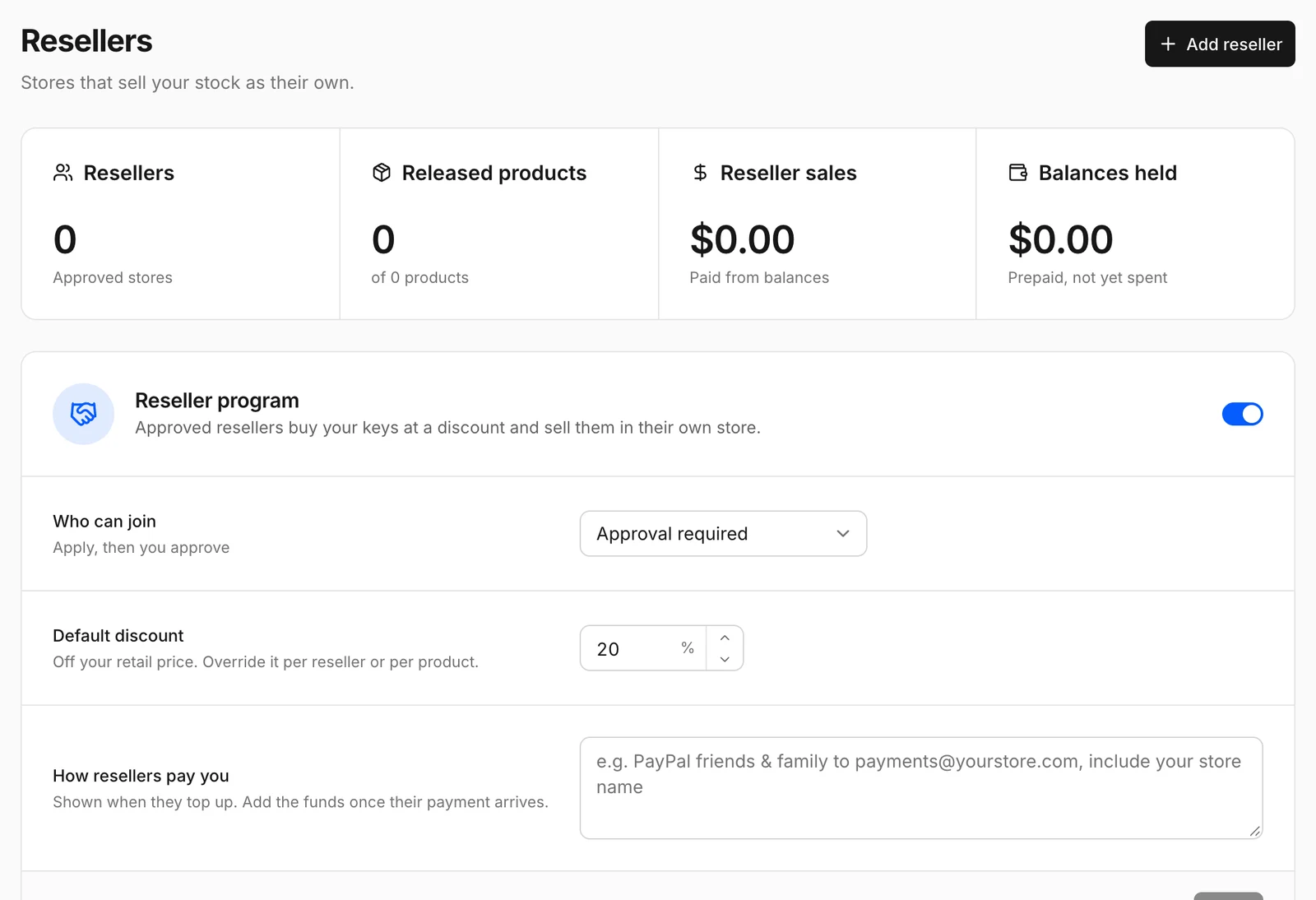
- Turn on Reseller program.
- Set Who can join: Approval required, open to everyone, or invite only.
- Set the Default discount: how far below your retail price resellers buy. You can override it per reseller or per product.
- Write How resellers pay you: instructions shown when they top up, for example a PayPal or crypto address. Add funds to their balance once their payment arrives.
- Release products to resellers. Only products with license keys can be offered. Each product shows its Retail price, Reseller price and Keys in stock.
Share your store address with partners. They connect from their Suppliers page. Approve applications under the applications view. The resellers view shows each reseller's Discount, Balance and units Bought.
Sell another store's stock (reseller)
Open Products → Suppliers.
- Click Connect a supplier and enter the supplier's store address.
- Wait for approval if the supplier requires it.
- Pay the supplier as their instructions say. They add it to your balance.
- Browse the supplier's products and import the ones you want to sell. Set Your price. The page shows Your cost and Supplier stock.
Orders for sourced products draw keys from the supplier automatically and charge your balance.