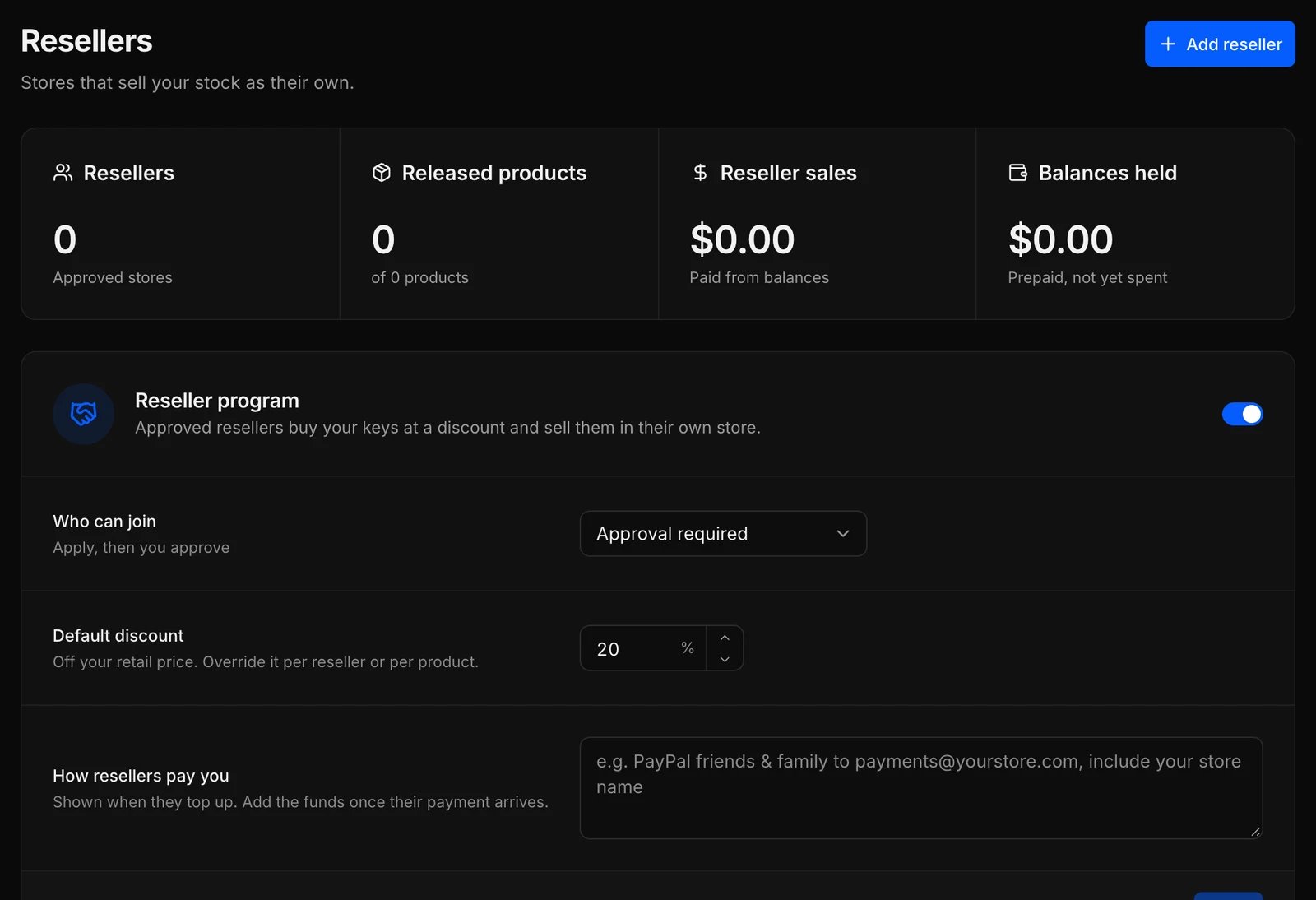
1. Open Marketing → Resellers and enable Reseller program.
  2. Under Who can join, choose open enrollment, approval required, or invite only. Resellers use your store address to apply. To invite a reseller, use their PaySum store address.
  3. Set Default discount and write How resellers pay you. Use the instructions to tell resellers how to pay you directly.
  4. Release the products you want to offer. Supply license keys on each product. Products with variants are not supported in the reseller catalog.
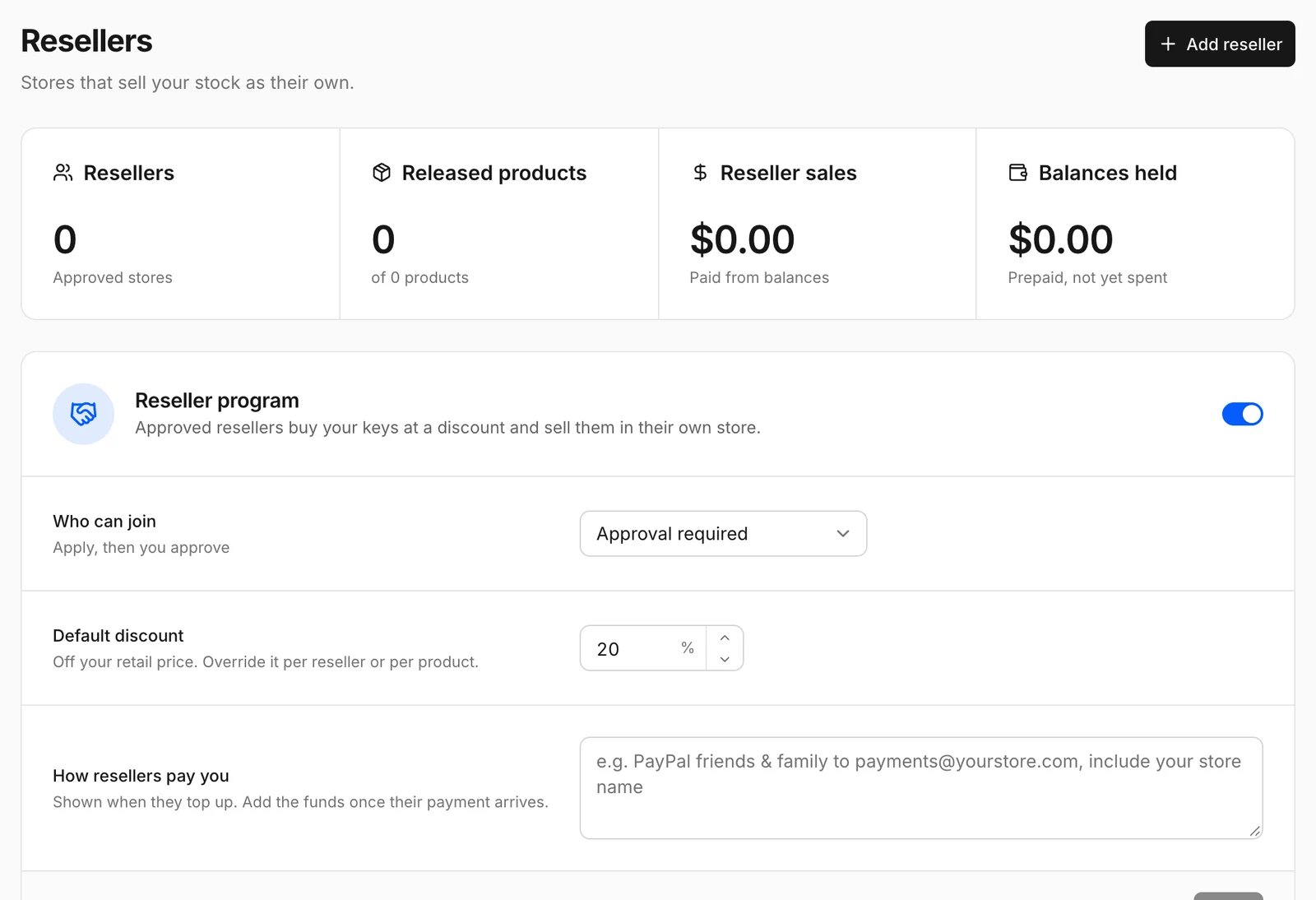
Reseller program, enrollment, and wholesale settingsReseller program, enrollment, and wholesale settings

Reseller program settings in the dashboard (sample store).

Set wholesale prices

If you set a fixed wholesale price on a product, that price takes priority. Otherwise, PaySum uses a reseller’s discount if you set one, or the program’s default discount if you did not.

Manage access

If Who can join is set to Approval required, add an Application prompt to tell applicants what to include. Select Require an answer and save. New applicants must answer before they can submit. This does not change existing applications or affect open or invite-only programs. Review pending applications in Resellers. You can approve, reject, or pause a reseller. Pausing prevents new purchases; it does not remove the reseller’s balance or history.